On-Call Management
Shift planning, team rotation and a clear on-call schedule - with emergency contacts, status validation and a home screen widget.
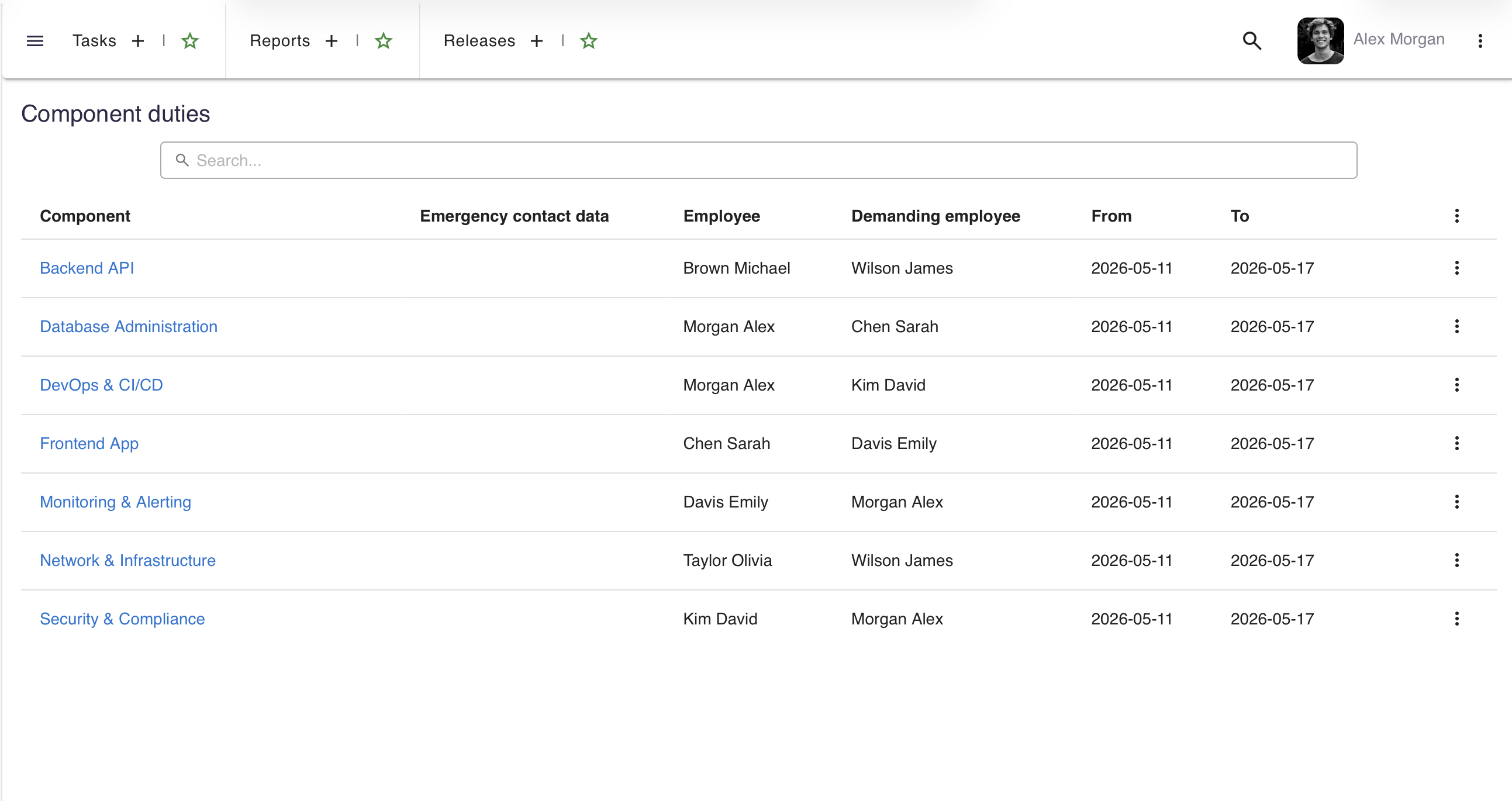
Flexible shift planning
Create on-call schedules with defined timeframes, assigned team members and automatic rotation.
Schedule types
Support different on-call patterns - daily, weekly, weekend and custom periods. Each schedule has a defined start date, end date and assigned personnel.
Team rotation
Automatic rotation of on-call engineers across team members. Fair distribution of shifts with configurable rotation patterns.
Emergency contacts
Each on-call shift includes emergency contact information - phone numbers and communication channels visible to the entire team.
Status validation
The system validates shift assignments to prevent overlaps and gaps. Warnings are displayed when scheduling conflicts are detected.
On-call information everywhere
On-call schedules are visible across the platform - from the home screen widget to task views.
Home screen widget
The 'Current On-Call' widget on the home screen shows who is on duty today, in which team and until when the shift lasts.
Calendar integration
On-call shifts appear in the company calendar alongside meetings, events and deadlines for complete schedule visibility.
Quick access
One-click access to the full on-call schedule from any screen. Team members can quickly find who to contact in case of emergencies.
Notifications
Automatic reminders before shift start and end. Team members are notified about upcoming on-call duties in advance.
Want to see more?
A meeting is the fastest way to see how say.work can streamline your team's work.
call Let's talk