Task Management
Everything your team needs to manage work effectively - from rich task descriptions through time tracking to advanced filtering and kanban boards.
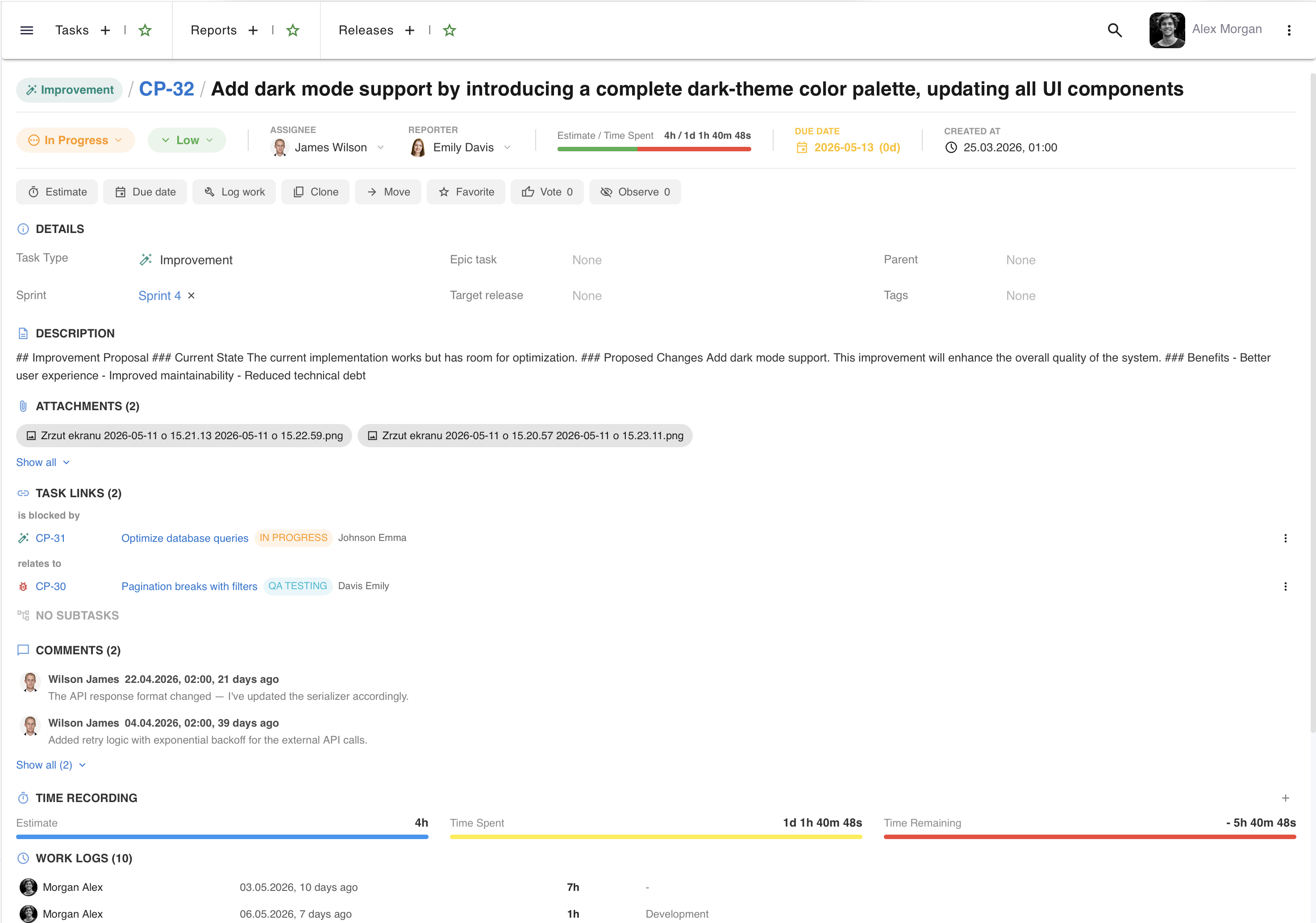
Feature overview
Nine core capabilities that make say.work a powerful task management platform.
Task description
Rich text editor powered by TipTap with formatting, checklists, code blocks, tables, images and file embeds. @mention team members and #reference other tasks directly in the description.
Time estimation & worklogs
Set time estimates per task and track actual work with worklogs. Automatic overrun indicators when logged time exceeds the estimate. Worklog history with user, date, duration and comment.
Comments
Threaded comments with @mentions that trigger notifications. Rich text formatting, file attachments and reactions. Full discussion history preserved on every task.
Activity history
Complete audit trail of every change - status updates, assignment changes, field edits, comments and attachments. Filterable timeline showing who did what and when.
Attachments & media library
Drag-and-drop file uploads with preview. Image gallery, document viewer and version management. Centralized media library accessible across all tasks.
Relations, subtasks & epics
Link tasks with typed relations: blocks, is blocked by, relates to, duplicates. Create subtask hierarchies and group tasks under epics for feature-level tracking.
Custom fields
Define custom fields per project: text, number, date, select, multi-select, checkbox and user. Custom fields appear on the task form and are available for filtering and reporting.
Workflow & statuses
Configurable status workflows per project with transition rules. Define which status changes are allowed, required fields per status and automatic actions on transitions.
Productivity tools
Keyboard shortcuts for common actions (Cmd+Shift+C for comment, Cmd+Shift+A for attachment). Bulk operations, quick filters and saved views for power users.
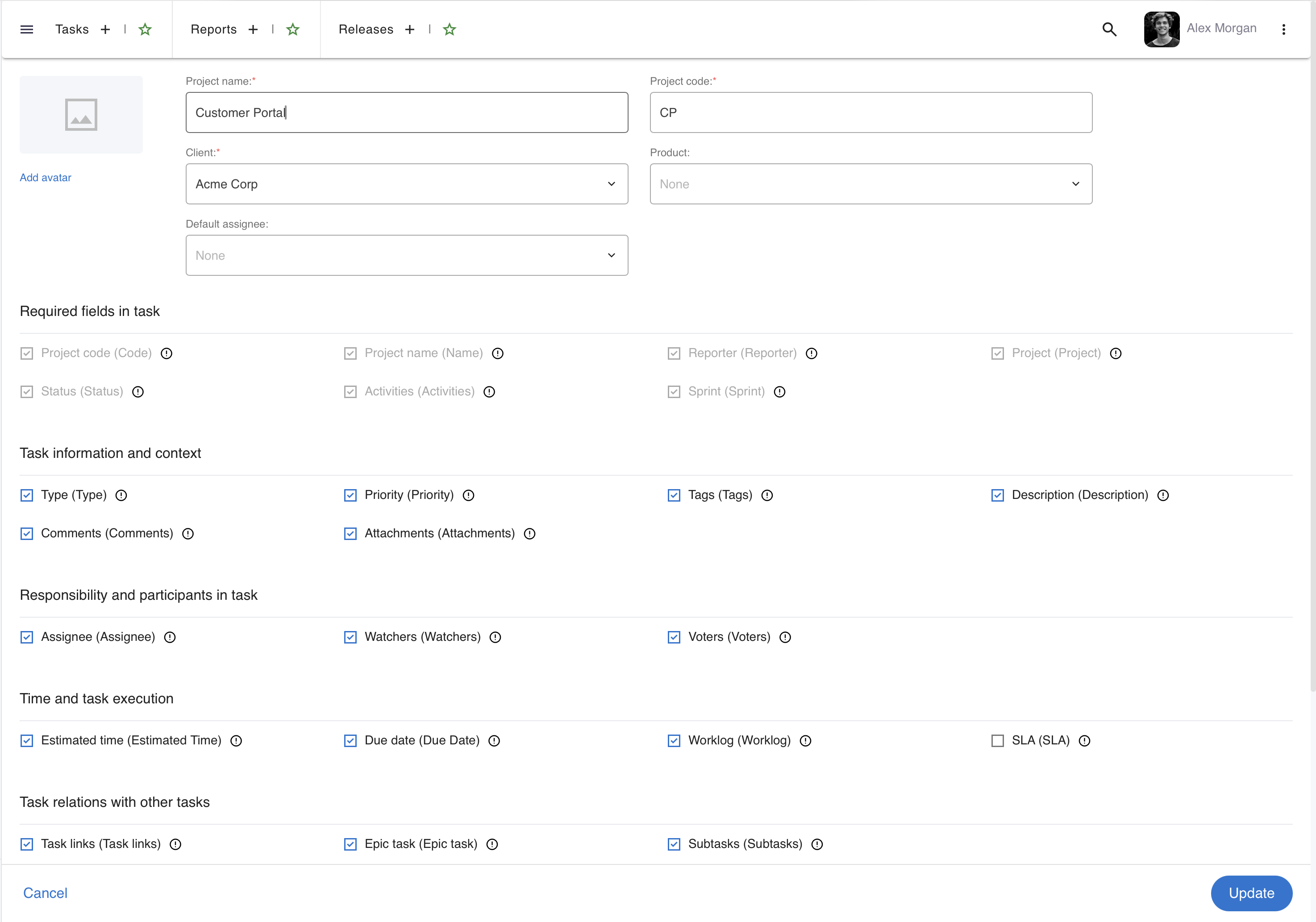
Project-level configuration
Every project can be configured independently - its own statuses, task types, priorities, custom fields and workflows.
Each project in say.work has its own configuration: status set, task types, priorities, custom fields, SLA rules and notification settings. This means different teams can work with different processes within the same platform.
- Status sets - each project defines its own statuses and workflow transitions
- Task types - bug, task, story, epic, improvement - or any custom type
- Priority levels - configurable priority scheme per project
- Custom fields - project-specific fields that appear only in that project's tasks
Projects can also define their own sprint configuration, release structure and SLA parameters - making say.work adaptable to any methodology.
Advanced task filtering
Powerful search with multiple criteria, saved filters and shareable views.
The task search module supports filtering by any combination of fields - status, assignee, project, sprint, priority, type, date range, custom fields and full-text search. Filters can be saved and shared with the team.
- Multi-criteria filters - combine any number of conditions with AND/OR logic
- Saved filters - save frequently used filter combinations for one-click access
- Shared views - share saved filters with team members or the entire organization
- Dashboard integration - saved filters power dashboard widgets - charts, tables and statistics
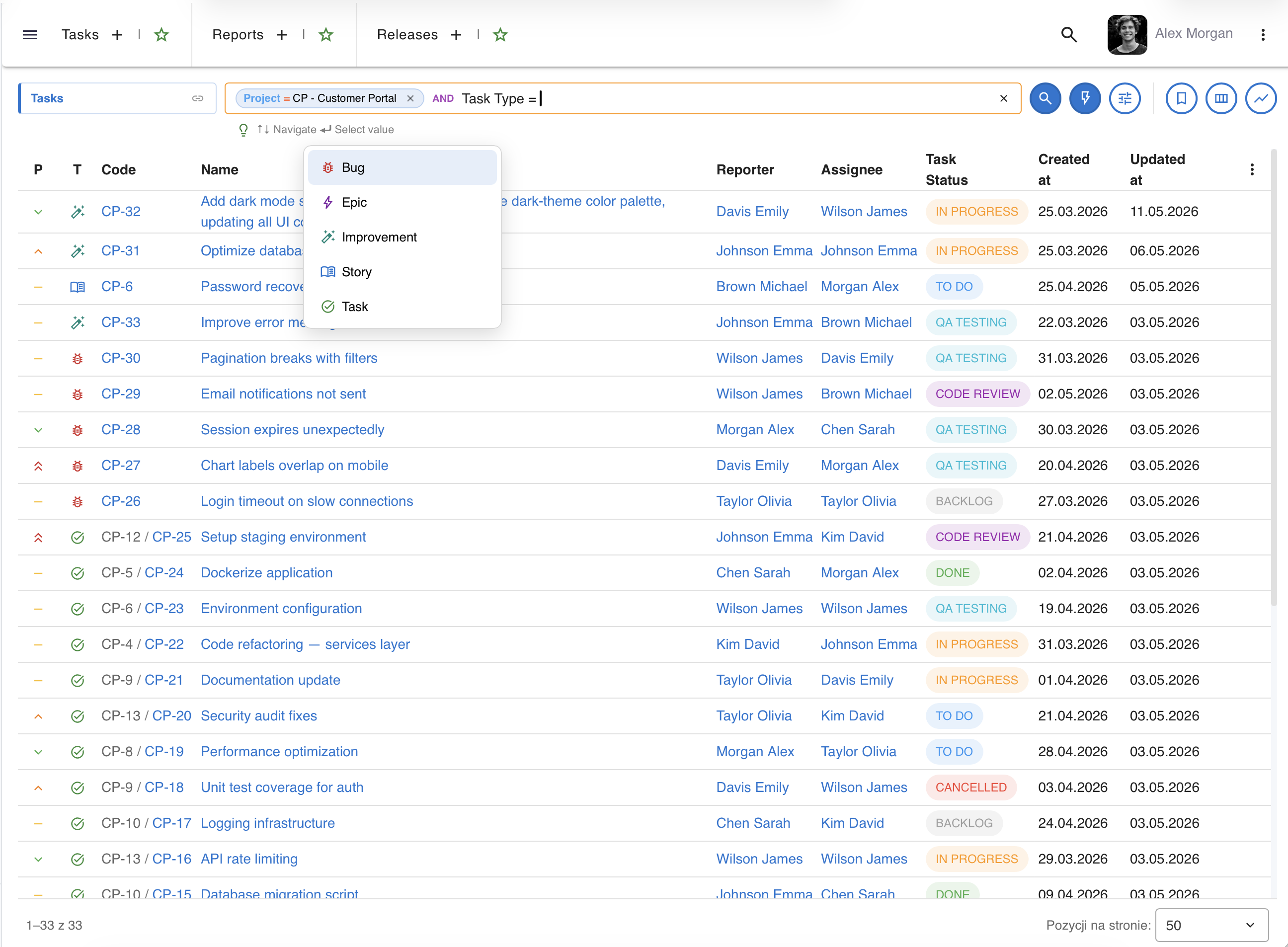
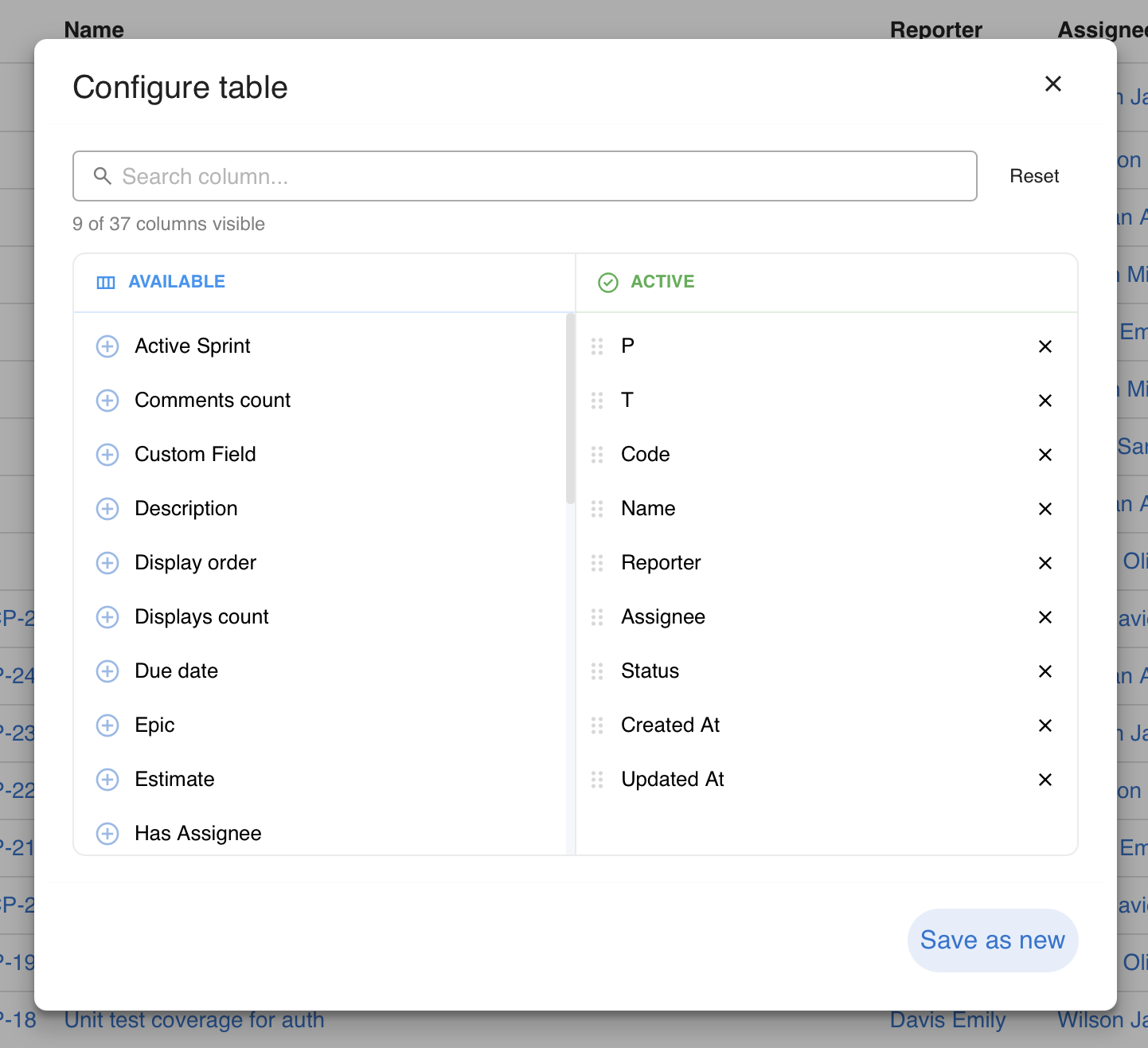
Table view customization
Configure which columns are visible, their order and width - saved per user.
The table configuration module lets each user define their preferred column layout. Choose from all available fields - including custom fields - and arrange them in any order.
- Column selection - toggle visibility of any column including custom fields
- Column ordering - drag and drop columns to arrange them in your preferred order
- Column width - resize columns by dragging borders for optimal information density
- Saved configurations - settings are saved per user and persist across sessions
Kanban Board and Backlog
Visual task management with drag-and-drop kanban board, backlog management and sprint planning.
Kanban board
Drag-and-drop tasks between status columns. WIP limits, swimlanes by assignee or priority, and quick filters for focused work.
Backlog
Prioritized list of all unscheduled tasks. Drag tasks from backlog to sprints or directly to the board.
Sprint planning
Create sprints with start/end dates and capacity goals. Drag tasks into sprints and track sprint burndown in real time.
Releases
Group sprints and tasks into releases for version-level tracking. Release burndown charts and scope management.
Want to see more?
A meeting is the fastest way to see how say.work can streamline your team's work.
call Let's talk